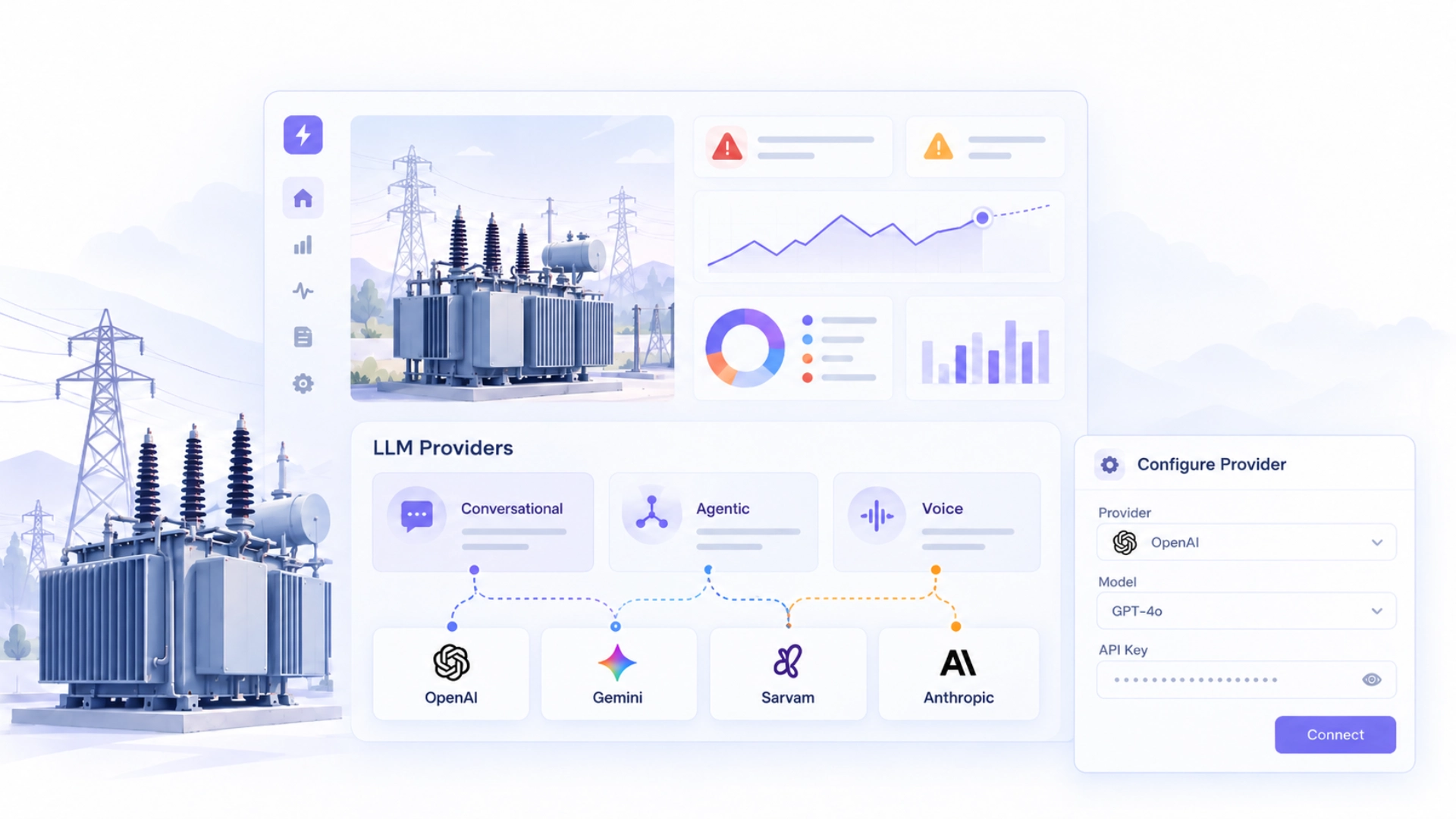
In our earlier blogs, we showed how a DISCOM engineer could use Applied AI to investigate transformer health and build dashboards, then use Analysis Agents to monitor transformer conditions and generate recurring reports.
Applied AI uses large language models (LLMs) to understand instructions and generate responses. As DISCOMs use AI for more operational tasks, they may want to choose which models handle those requests. A DISCOM may already be using OpenAI or Gemini across its organization. Can it use that same provider within Applied AI?
Yes, WorkOnGrid Applied AI now supports this. Administrators can connect their existing LLM provider, if supported, and select models for different AI functions.
How Does Applied AI Work with Your Preferred LLM?
For instance, during a transformer health review, a DISCOM engineer asks Applied AI to identify transformers with repeated high loading.
- Conversational: Handles the engineer's questions and generates responses.
- Agentic: Creates a dashboard to track the affected transformers when the engineer requests one.
- Voice: Supports speech recognition and transcription when a supervisor gives instructions through voice input.
Subsequently, the DISCOM can choose which LLM provider and model to use for each of these functions. It could configure OpenAI for queries, Gemini for building dashboards and a compatible model for voice interactions. Supported providers include OpenAI, Gemini, Sarvam and Anthropic.
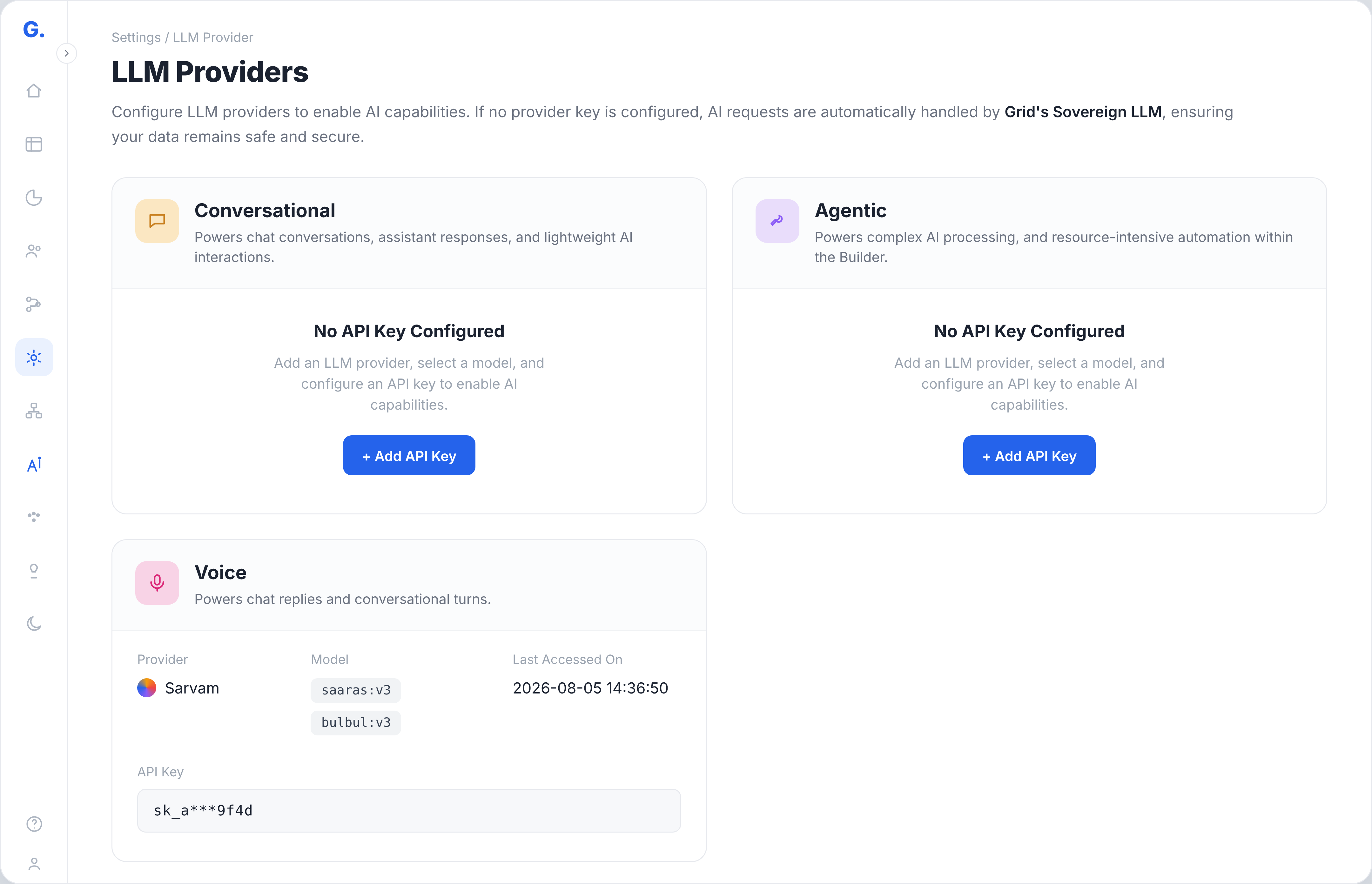
As shown above, each agent function has its own configuration. Administrators can use the same provider across all three functions or select different models based on their requirements. The engineer continues working through the same Applied AI interface, regardless of the configured provider.
How Can Administrators Configure Their Preferred LLM?
The setup is handled directly from Settings → LLM Providers in WorkOnGrid.
For example, if the DISCOM wants to use its existing LLM provider for building transformer health dashboards, the administrator selects Agentic and clicks Add API Key. From there, they choose the provider, enter the organization's API key, select a model and test the connection.
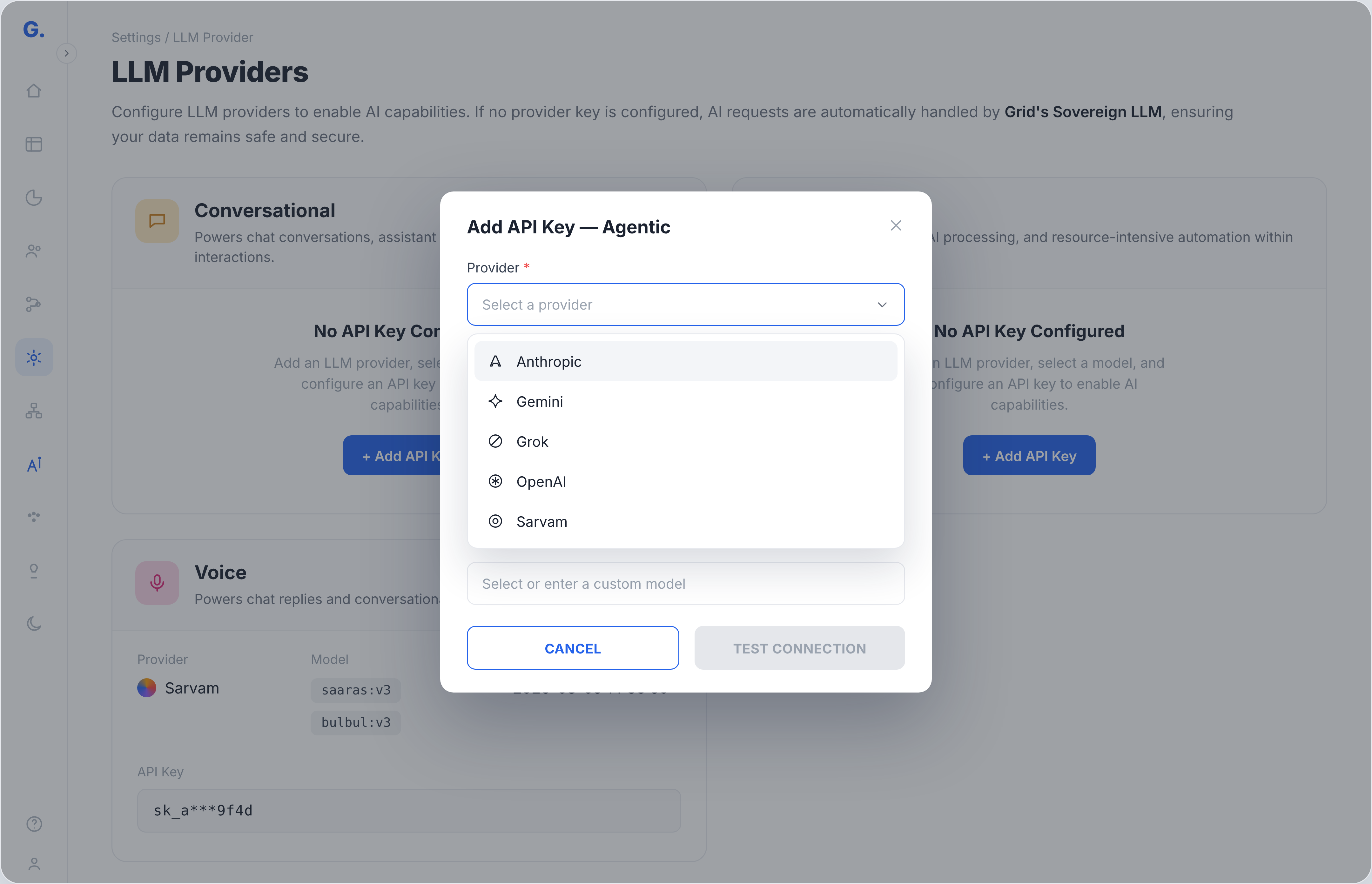
Once configured, Applied AI uses the selected model for the corresponding function. The same process applies to the Query and Conversation functions.
The DISCOM is billed directly by its chosen LLM provider for usage through its own API key. This means the organization can continue using its existing provider account while its engineers work within Applied AI.
Keep Your Existing LLM Providers
As DISCOMs expand their use of AI, their requirements for models, capabilities and costs may evolve. With Applied AI organizations can get the flexibility to work with their preferred supported LLM providers as those requirements change. Talk to our team to see how your preferred LLM provider can work with WorkOnGrid Applied AI.
Frequently Asked Questions
1. What happens if a DISCOM doesn't configure its own LLM provider?
Applied AI continues handling AI requests through Grid's Sovereign LLM when no provider API key is configured. The DISCOM can continue using Applied AI without connecting an external LLM provider.
2. Will choosing a different LLM affect the results?
Different models may generate different responses to the same request. For example, when analysing transformer loading patterns, one model might provide a brief summary while another offers more detailed findings. The depth and quality of the response depend on the selected model and the task.
3. Who pays for LLM usage when a DISCOM connects its existing provider?
When a DISCOM connects its own provider API key, the provider bills the organization directly for usage through that key. This lets the DISCOM use its existing provider account within Applied AI.