.png)
No distribution utility is short of data. SCADA, the head-end system, the MDM, the asset register, the maintenance history and the inspection round all produce records every day. What is usually missing is the layer that turns those records into a decision: knowing which numbers matter, where they sit, how they combine, and what to do once the answer arrives.
That layer is what data intelligence describes. Not storage, and not another dashboard. The ability to move from a question about the network to an answer someone will act on, and then to keep that answer current as the network changes.
For instance, a planning engineer asks which distribution transformers are running closest to their rating. The answer already exists, spread across interval load data, the asset records and in an inspection reports. Getting to it means a request to an analyst, a specification of what is needed, an extract, a spreadsheet, and a review. By the time the answer lands, the load pattern has moved.
Grid AI is the assistant layer inside Grid, the platform that runs on top of the systems a utility already operates. It closes that distance. The clearest way to show how is to take one question a distribution utility asks constantly and follow it end-to-end.
Which transformers are at risk, without a full data request
Transformer health is the kind of question every planning team wants answered regularly. Which units are close to their rated capacity? Which ones are ageing faster? Which ones show signs of stress before they fail?
In practice, the review often happens only when there is a failure, a complaint, or a scheduled planning exercise. So, a question that should be asked every month gets asked once a quarter, and the network keeps changing in between.
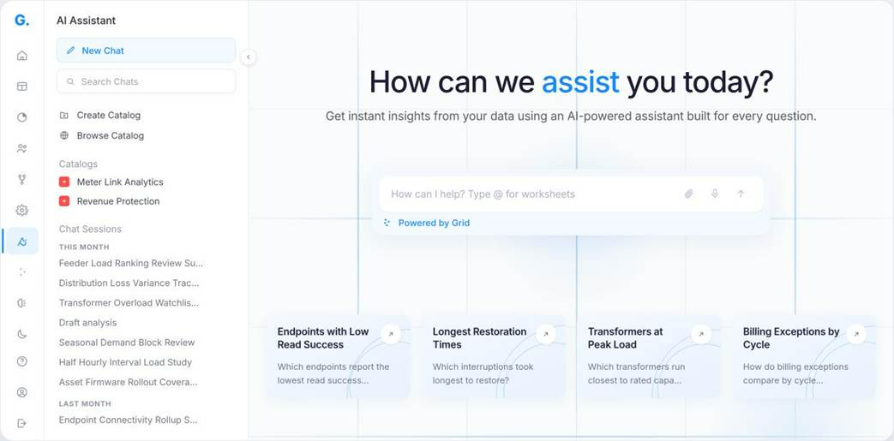
Grid AI changes the workflow. You can type in the question directly and work with the utility’s own operational data. There is no request to raise, no queue to wait in, and the analytics team can focus on work that genuinely needs deeper support. Grid AI answers against the utility's own operational data rather than a generic model of a network.
Bring in the attachments that lives outside the platform
The transformer loading data may already be in Grid. But the full picture often sits in other files.
The latest condition assessment may be a contractor’s PDF. The inspection format may be a spreadsheet maintained by the maintenance team. The replacement threshold may be written into a policy document.
Grid AI lets you bring those files into the conversation instead of making someone retype or manually translate them first. You attach the file the way you would attach a document to an email, and Grid AI can use its contents as context for the work.
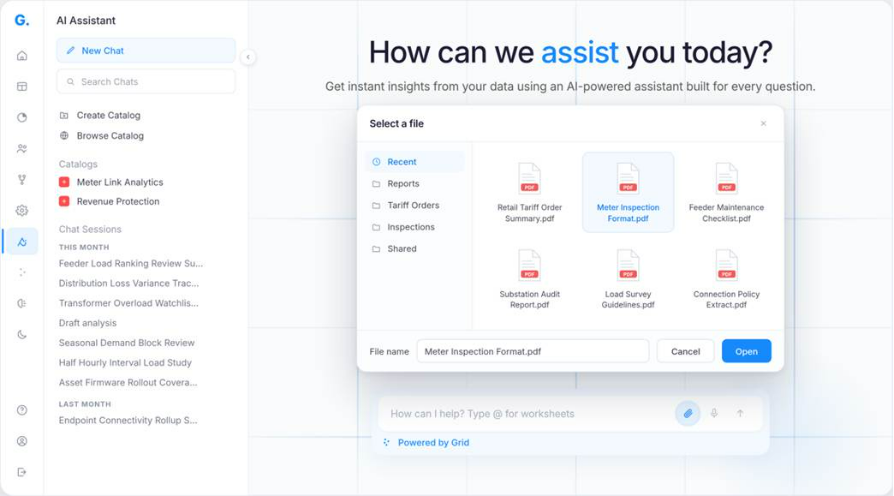
But the attachment is only the context. It is not the instruction. Uploading a report tells Grid AI what document to refer to. You still need to tell it what you want done with that document.
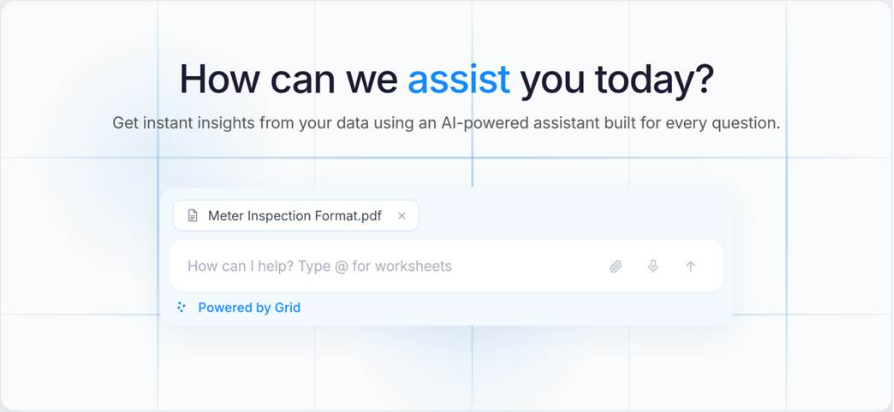
For example, you attach last quarter's transformer inspection report. Then in the prompt box you type: "List the transformers in this report that also show sustained overloading in Grid, and build a dashboard for review."
When the prompt is ambiguous, Grid AI helps you narrow it down
Say "I want a dashboard for transformer health", and Grid AI does not just hand you a form. It reads the request, works out what is still undecided, and puts back a set of options the platform can actually build.
That matters because most requests start as an outcome, not a specification. "I want a dashboard" leaves open which workspace it belongs to, which sites it covers, what thresholds matter, and which widgets appear. Most software stops there and waits for every field to be filled.
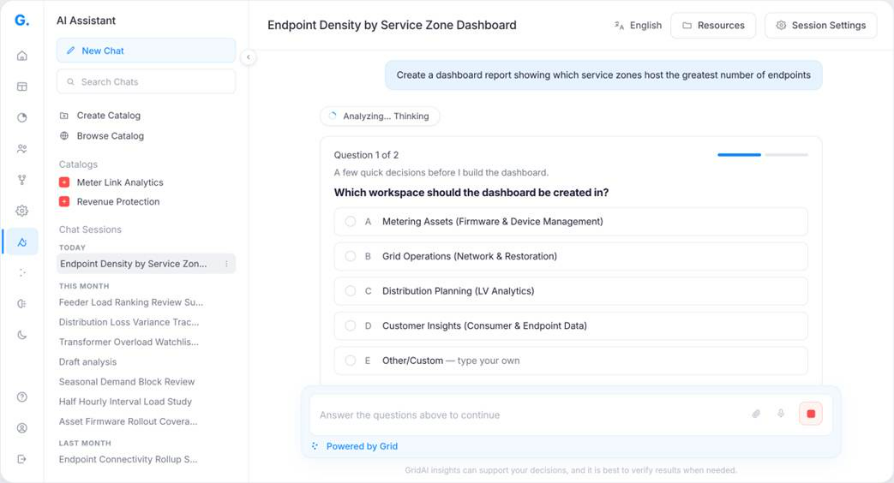
In the screen above, Grid AI asks which workspace the dashboard should belong to: Metering Assets, Grid Operations, Distribution Planning, Customer Insights, or one you type yourself.
Once you answer, Grid AI moves ahead with the build. It creates the worksheets, configures the columns, and produces the report or dashboard on top.
Session Resources: keep your inputs and outputs in one place
A transformer health review rarely ends with one question. A dashboard may flag twelve transformers. The next question is usually more specific: which of these have a fault history, and which are under stress because the zone has grown?
That kind of investigation builds up quickly. You may start with a contractor’s condition assessment, use it to create a worksheet, build a report, and then turn that report into a dashboard. A few questions later, it can be hard to remember where the ageing criteria came from or which worksheet the report used.
Session Resources keeps that trail visible.
The files you upload stay in the panel as context. The outputs Grid AI creates from them stay there as artifacts. These artifacts can include worksheets, reports, dashboards, and agents. You can browse the panel, search it, download resources, and add or remove files as the work changes direction.
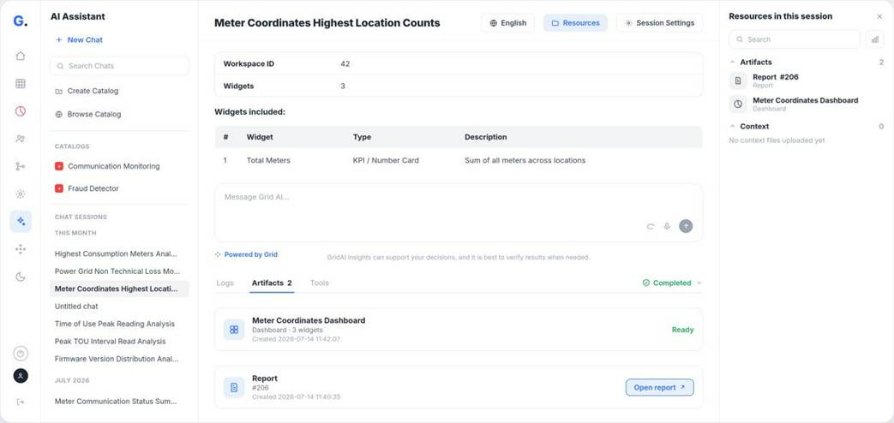
The scope stays within the session. Resources belong to that chat, not the entire workspace. So the transformer health review carries its own inputs and outputs, while the next investigation starts with its own set of resources.
Turn the analysis into an agent without leaving the chat
This is where transformer health monitoring moves from a one-time analysis to a standing task.
Loading changes over time. A transformer that looked healthy in March may show stress by June. When teams run the analysis only once, the result captures the network at that moment. That is why spreadsheet-based condition monitoring often falls behind the actual network.
An agent keeps the same analysis running.
You describe what you want Grid AI to monitor in the same chat. Grid AI creates the agent from that requirement, fills in the prompt, and selects the worksheets the task needs. The setup does not start from a blank form. It starts from the work already happening in the conversation.
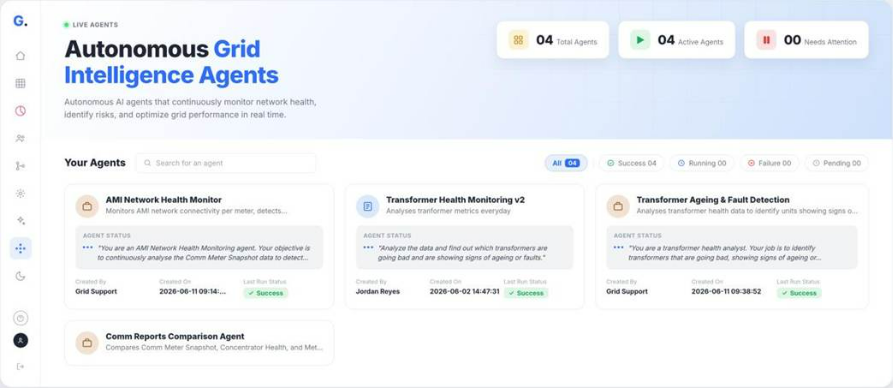
In the image above, two agents are running side by side: a transformer health monitoring agent and a transformer ageing and fault detection agent. One tracks overall network health and risk. The other looks for transformers showing signs of ageing or faults.
Each card shows the last run status, so the team can see if an agent has completed or failed without opening it.
Say it instead of typing it
A supervisor standing in front of a transformer is not going to type a paragraph. Grid AI accepts voice input in English and transcribes it into the prompt, so the request can begin the way it would be explained out loud to a colleague.
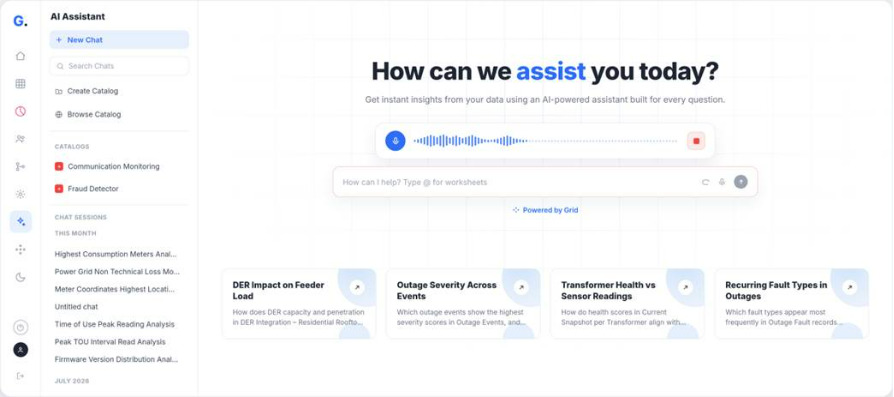
Catalogs: What if Grid AI should not refer to everything?
Grid AI can refer to every worksheet and report you have created. That is useful when you want the assistant to work with everything available.
But what if you want it to answer from a specific set of worksheets and reports?
For transformer health, you may not want Grid AI to look at every old loading worksheet, every past inspection report, or every version of a fault analysis. You may want it to refer only to the latest transformer loading data, ageing data, fault history and condition report.
That is what a Catalog does.
You select the worksheets and reports Grid AI should use for a specific type of question. Once the Catalog is set, Grid AI stays within that boundary. It searches and analyses only the information you selected.
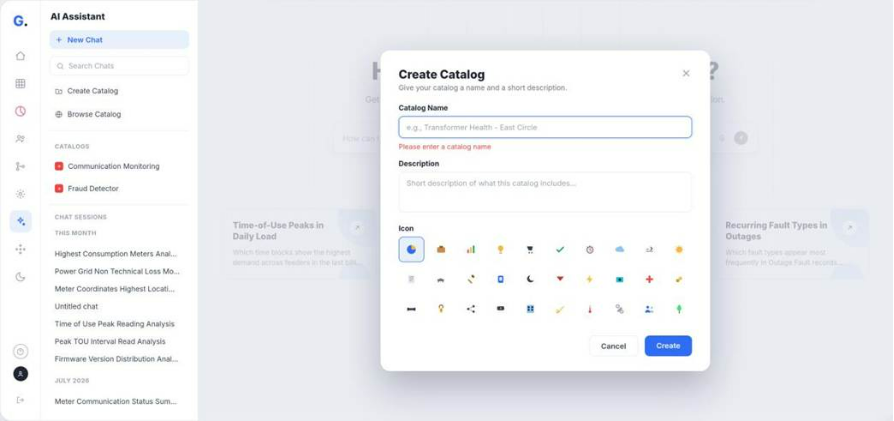
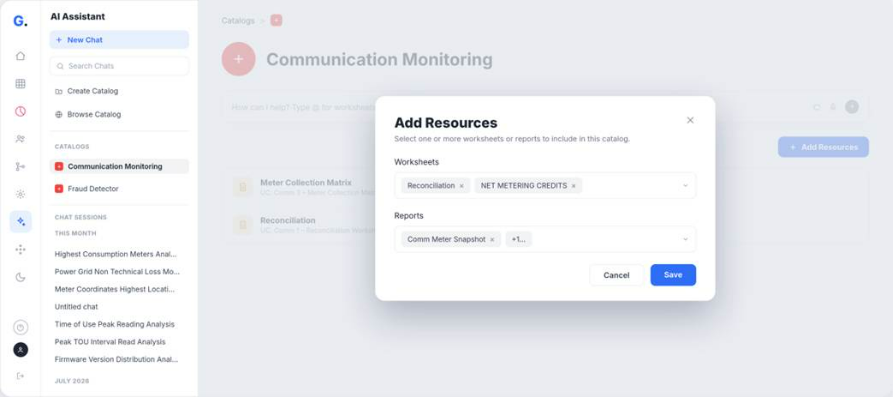
This makes the answer more reliable and repeatable. When two engineers ask the same question inside the same Catalog, they work from the same source set. The discussion can then move to the decision: which transformers need attention, and what should the team do next.
From one question to a standing watch
Transformer health was the example. The path is the same for any question that currently arrives as a request for a report: which meters are not reporting, where losses are concentrated, which outages breached the restoration target, which billing exceptions repeat every cycle.
In each case, the engineer who understands the problem asks it directly, and a one-off analysis becomes something that keeps running. The decision stays where it belongs. What changes is how much of the week goes on getting to it.
A power distribution utility running roughly 700,000 smart meters across two MDM systems now scores more than 6,000 transformers continuously instead of waiting for complaints. Eleven of twelve deteriorating transformers were caught and physically verified before they failed. Until Grid AI went live, the utility learned a transformer was in trouble only when it failed.